
A TikTok slider shows TikTok videos in one row of tall cards that visitors slide through on your website. This template frames the row with a bold headline, a short intro and a Follow button, so it works as a trends or inspiration section that also sends visitors to your TikTok profile.
What the slider shows
- A headline and a short intro you write, with a Follow button
- Tall, rounded TikTok video cards in one row
- Arrows on both sides to slide through the videos
It fits fashion, beauty and lifestyle brands, campaign pages built around a product drop, and creator pages that want more followers.
How to add the TikTok slider to your website
- Click Try this template to start your 7-day free trial on Pro.
- Click + Add source and choose TikTok.

- Pick TikTok Account to show your account’s videos, then click Next: Connect account, sign in to TikTok and approve the permissions. To show specific videos instead, pick TikTok Video and paste a video link.
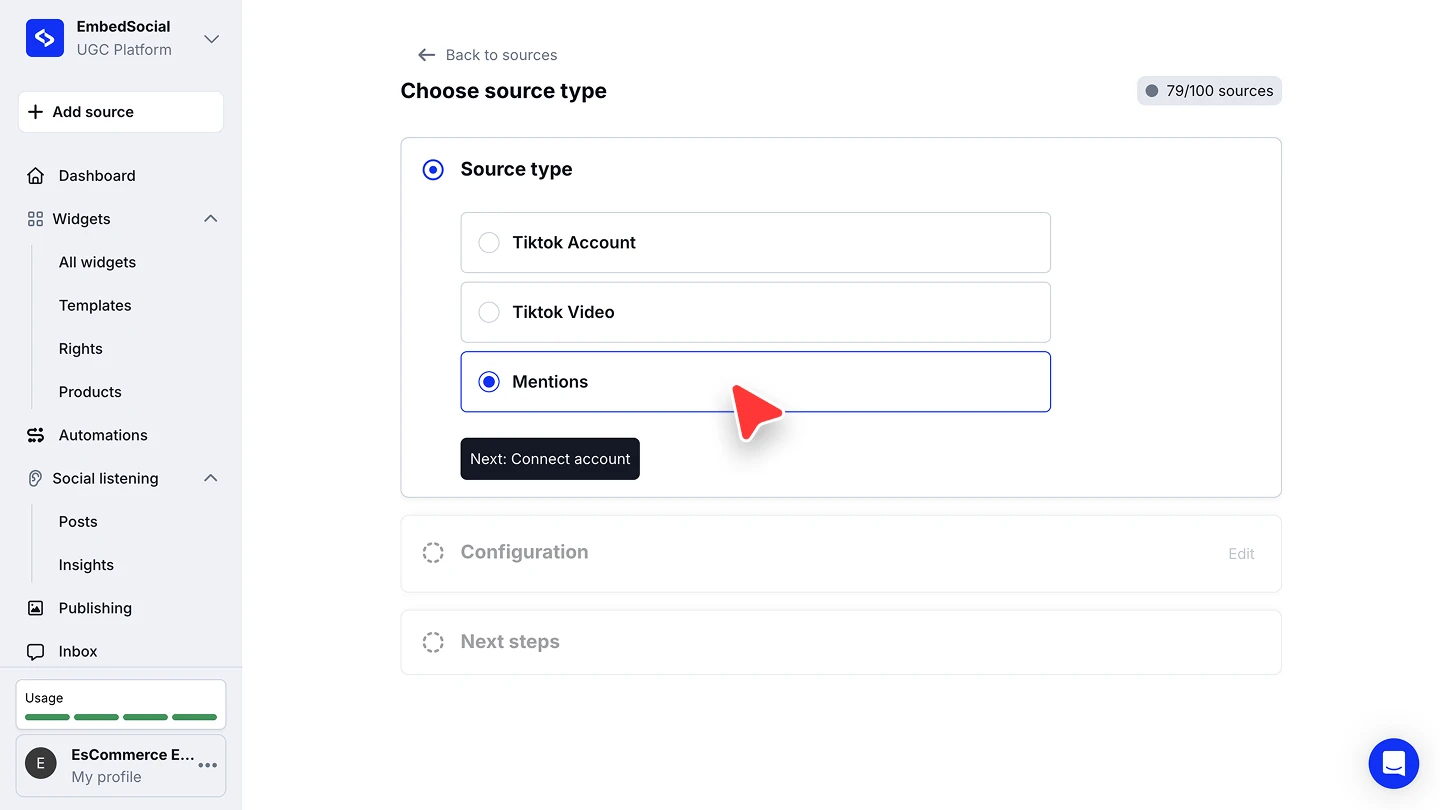
- When you’re asked to pick a widget template, choose TikTok Slider Widget, then edit the headline and intro.
- In the widget editor, click Embed, then Copy code, and paste it into your website builder’s custom HTML or embed block.



The full walkthroughs are in our TikTok source guide and embed guide.
Slider or full TikTok feed?
The slider shows a curated row in a small space. For a full TikTok grid, a wall or shoppable videos, start from the TikTok widget.