TikTok is where many brands now get talked about first. When thousands of people mention you every week, checking each notification by hand stops working.
I’ll show you how to check TikTok mentions in the app, track them at scale with a TikTok social listening tool, and reuse the best videos in your UGC campaigns.
Want those videos to be found too? Start with our TikTok SEO guide.
What are mentions on TikTok?
Mentions on TikTok happen when a user tags another account using the “@” symbol, either in a video caption, comment, reply, Story, or Live. It’s TikTok’s way of directing attention, whether to a friend, creator, or brand.
For businesses, a TikTok mention is more than just a shoutout. It’s a direct signal that someone is talking about your product, using it, or engaging with your campaign. Mentions can appear in:
- Video captions: a creator tags your brand in the description.
- Comments or replies: someone brings you into a conversation.
- Stories: quick, temporary mentions that still get attention.
- Live streams: real-time mentions during events or Q&As.
TikTok shows these under Activity as “mentioned you in their video” or “mentioned you in a comment.” For brands with high mention volume, those notifications pile up fast.
How to collect TikTok mentions automatically via EmbedSocial?
The fastest way to find and reuse TikTok mentions is a social listening tool with an official TikTok API connection. Here’s how to set it up in EmbedSocial:
Step 1: Create your EmbedSocial account and log in
Create your EmbedSocial account. You can start with a 7-day free trial.
Step 2: Add a new TikTok mentions source
Once you log in, you can add your TikTok mentions as a source so that EmbedSocial can pull all relevant video content, whether for display or analysis purposes.
To do so, click ‘Sources’ (left ribbon menu) → ‘Add new source’ (top-right corner), and then find TikTok and ‘TikTok mentions’:
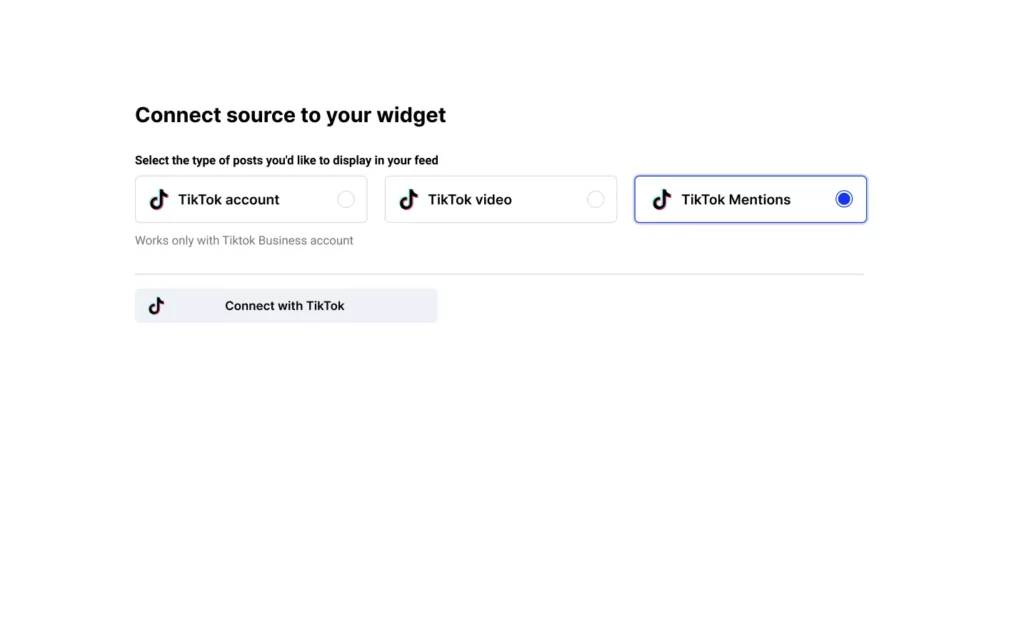
Step 3: Find all your TikTok mentions under ‘All Posts’
Now, tap ‘All Posts’ (top of the left ribbon menu) to get all TikTok mentions EmbedSocial collects. You may have to select the account from the dropdown menu manually:

Step 4: Get UGC usage permission from the original creator
At this point, you have the option to ask for the rights to use the UGC you collect. This will automatically send an alert to the original creator, which, once approved, will allow you to use the video as part of your TikTok ad campaigns known as Spark Ads. Learn more about UGC rights management.

Step 5: Tag and organize TikTok mentions
Furthermore, you can organize the generated TikTok videos and come back to them later, such as customer complaints, product unboxing videos, or submissions for a contest you ran:

Step 6: Analyze your TikTok mentions in Insights
Click ‘Social listening’ in the left menu, then ‘Insights’. Choose your TikTok mentions source and the period you want to analyze.

Here are some insights you can get from social listening on TikTok:
- Total posts
- Unique authors
- Date range for the posts analysed
- 10 most popular hashtags
- Top 10 authors
- Content by type: video, image, carousel, text
- Content by platform
- Most used keywords
- Sentiment analysis
- Post timeline

Furthermore, you can export your TikTok mentions into a .csv file for further analysis. Just press ‘Download report’ to get all posts and use ChatGPT or Excel for further analysis.
Official tutorial: How to read your Social Insights charts →
Bonus step: Embed your TikTok mentions on your website!
Create a TikTok widget from your mentions, copy the embed code, and paste it into your site. Here’s the full guide to embedding TikTok mentions widgets.

Learn more:
- How to Track Instagram Mentions to Get UGC & Insights
- How to Monitor Instagram Hashtags
- Threads Monitoring: How to Search, Track & Collect Mentions & Keywords
- X Keyword Monitoring: Search and Collect Brand Mentions Automatically
- How to Track X Hashtags for Insights & Trends
- How to Track Facebook Mentions to Get Fresh UGC
- YouTube Hashtag Analytics: How to Unlock Insights in Seconds
How to check mentions on TikTok manually
TikTok has a few built-in ways to check mentions. They work for small volumes but don’t scale. Here’s how to check mentions on TikTok in the app:
1. Check the notifications tab
When someone tags your brand using @yourusername, you’ll receive a push notification and see it under the Inbox tab in the Activity section. Look for alerts like “@user mentioned you in their video” or “mentioned you in a comment.“:
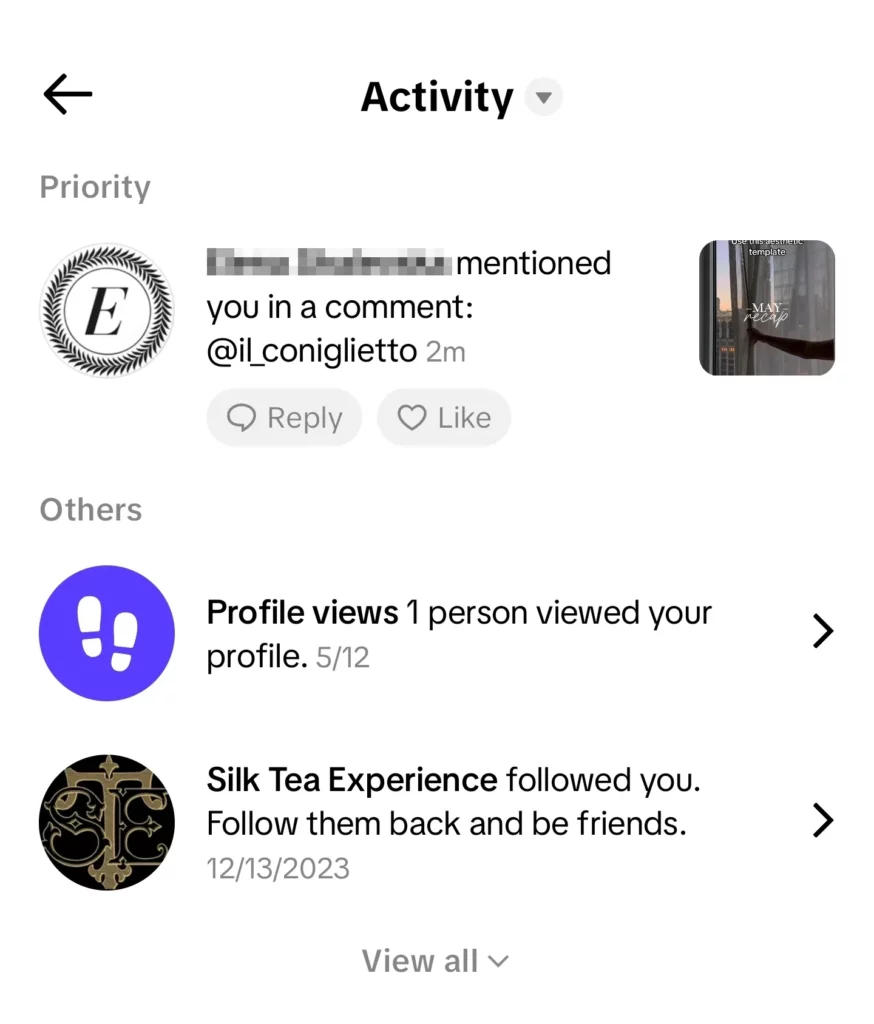
2. Use the TikTok search bar
You can search for mentions by typing your handle (e.g., @YourBrand) or branded hashtags (e.g., #YourBrand) into TikTok’s search. Results include videos, users, and sounds, but you’ll need to scroll through manually to spot relevant content:
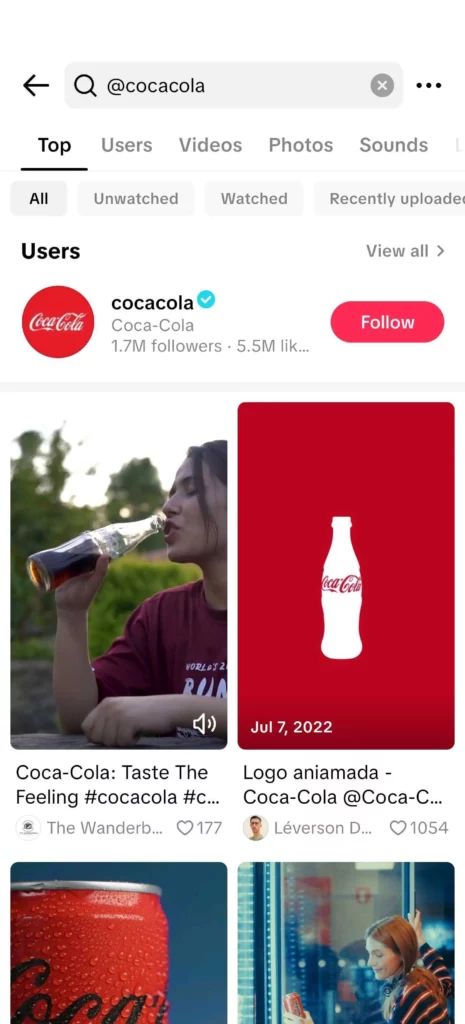
3. Scan comments under your videos
Users sometimes mention others (including your brand) in the comment section of videos. You can review your own videos’ comments to see if someone tagged your account in a conversation:
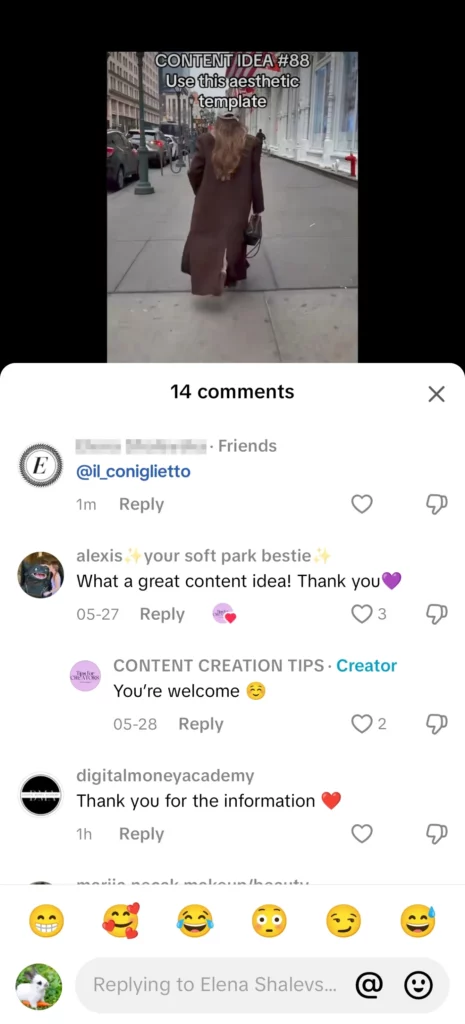
4. Monitor TikTok Stories
If a user mentions your brand in a TikTok Story and tags you, it will appear in your screen notifications, similar to regular video mentions. However, since Stories are temporary, they can be easy to miss if not checked regularly.
5. Watch for TikTok Live mentions
During TikTok Lives, users may tag or verbally mention your brand in chat comments. Unfortunately, TikTok doesn’t provide a searchable log of these mentions, so staying active during Live sessions is the only way to catch them.
6. See videos that mention someone else
You can’t see another account’s mention notifications. To find public videos that mention someone else, search their @handle in TikTok search and open the Videos tab. For a competitor, track their handle as a keyword in a listening tool to collect these videos automatically.
7. Check your mentions settings
If mentions don’t show up, check who’s allowed to mention you. Go to Settings and privacy → Privacy → Mentions and tags, and choose Everyone, People you follow, Friends, or No one. Brands should usually allow Everyone.

These methods give you basic visibility. They don’t offer long-term tracking, organization, or reporting, so high-volume brands need an automated setup.
Why should you automate your TikTok social listening process?
Here’s what large teams and agencies deal with every day:
- Dozens (or hundreds) of TikTok videos where people mention their brand;
- Followers commenting or tagging them in real time;
- An ever-growing stream of UGC across multiple social media platforms.
Therefore, if you don’t monitor mentions, you’ll miss out on:
- High-performing content already approved by the user;
- Fresh ideas directly from genuinely excited people;
- Honest feedback and potential reputation signals from your audience.
While manual monitoring might work for any random person, for brands, especially those with high engagement or multiple locations, it becomes unmanageable fast.
Remember: automating your TikTok social listening isn’t just about saving time, it’s about unlocking insights and opportunities that you’d otherwise miss.
Here’s why automation is a game-changer for businesses:
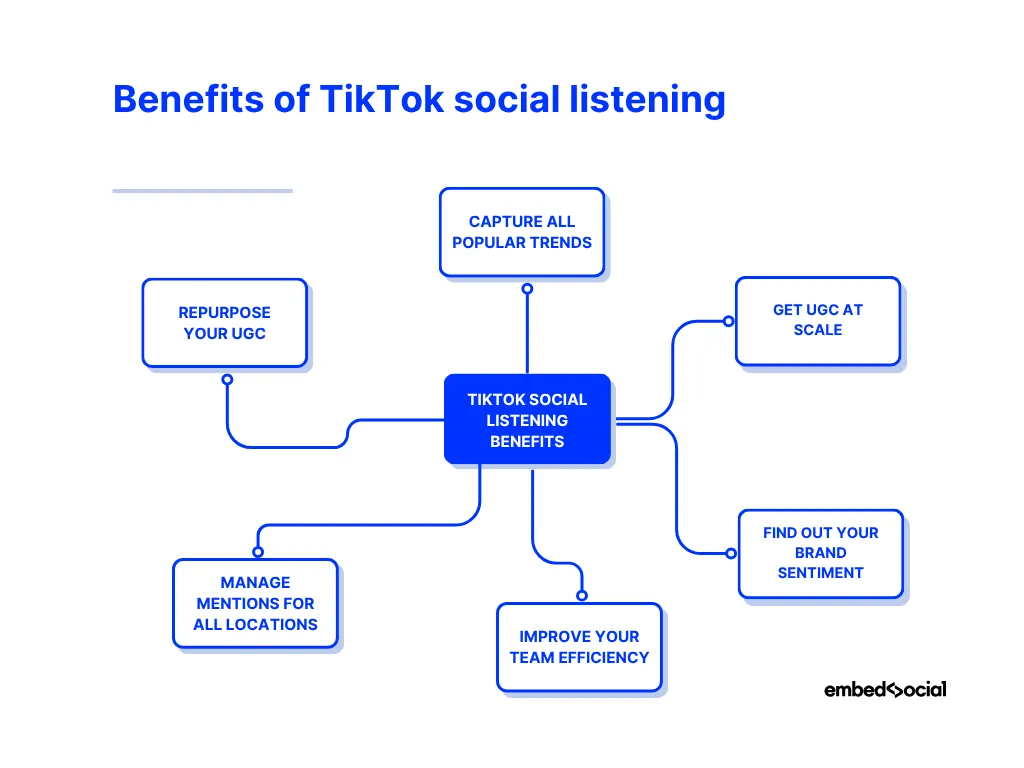
- Capture all popular trends: Real-time tracking ensures you never miss a shoutout, review, or trend featuring your brand;
- Get UGC at scale: Automatically capture and organize user-generated content across thousands of videos without manual checks;
- Find out your brand sentiment: Know instantly if your brand sentiment is positive, neutral, or negative, then respond with clarity;
- Improve your team efficiency: Empower your marketing team to focus on strategy and content activation instead of repetitive checks;
- Manage mentions for all locations: Track mentions from all inspired customers across different regions or franchises from a single dashboard;
- Repurpose your UGC: Easily turn authentic mentions into branded campaigns, pitch decks, or product content.
With automation, social listening stops being a reactive task and becomes a growth tool. After all, it transforms all your scattered mentions into structured and usable data.
Real-world example on TikTok social listening
Imagine you’re leading marketing at a global beauty brand. Someone on TikTok does a GRWM (get ready with me) video and tags your product. A few more people join in. Next thing you know, your brand’s name is everywhere, without you doing anything.
With EmbedSocial, you would:
- Instantly track and log these TikTok mentions
- Approve the best UGC clips (and find the creators behind them with influencer discovery)
- Auto-generate a branded recap reel
- Publish it to your site and send it via emails
- Use it for a pitch to a retailer or campaign showcase
All this with no manual editing, no hunting down creators, and full access to the original content and engagement data.
Why use EmbedSocial for tracking mentions on TikTok?
When you automate monitoring with a TikTok social listening tool, expect more efficient and accurate tracking of mentions, thus saving time and resources. EmbedSocial provides this with an official API integration and it can do more, such as:
- Instantly discover TikTok videos that mention you
- Filter, tag, and repurpose the best content for your UGC campaigns
- Provide UGC shoppable widgets on your website.

Social listening on TikTok can often lead to unexpected thoughts or insights, revealing keywords or trends you might not have considered before. Not to mention, you will learn a lot about your products and services, which will help you refine your offering.
Therefore, consistent brand monitoring of mentions can improve your brand’s e-reputation by enabling timely responses and data-driven adjustments.
Conclusion: Turn TikTok mentions into actionable brand content
Every TikTok mention is a chance to connect, convert, or create content. Checking them manually works for a handful a week, not for thousands across locations.
Track every mention in one place, analyze sentiment, and turn the best videos into UGC. Then apply the same setup to Instagram mentions.
Want to track TikTok mentions automatically? Schedule a demo or start your free trial and see how the workflow fits your brand.